
ERP & Operations · Coachbuilding & Manufacturing
Production Portal & Job Order Tracking
Customers open their own build progress, photographs from the shop floor included.
- Modules
- 27
- System addresses
- Running in production
Screenshots
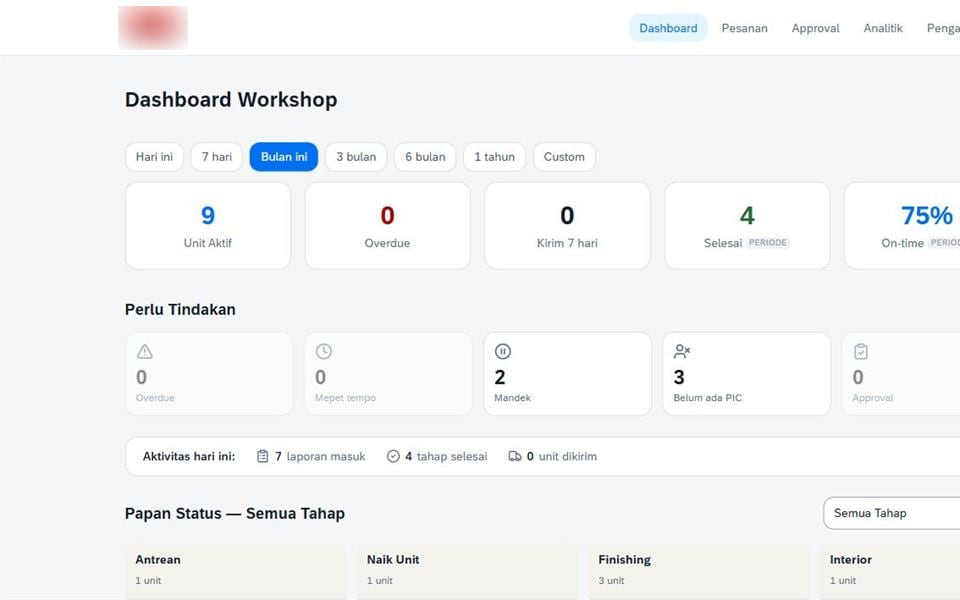
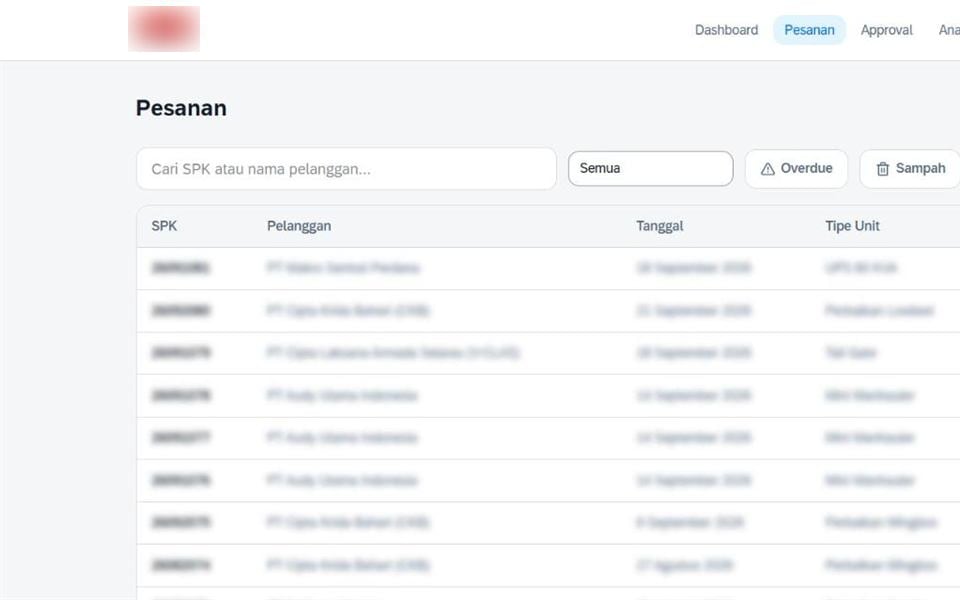
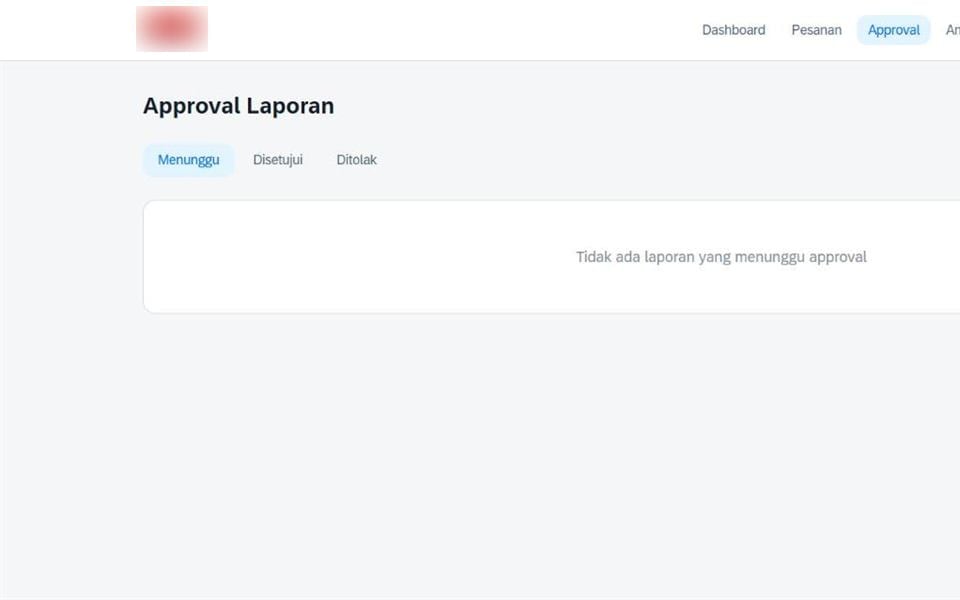
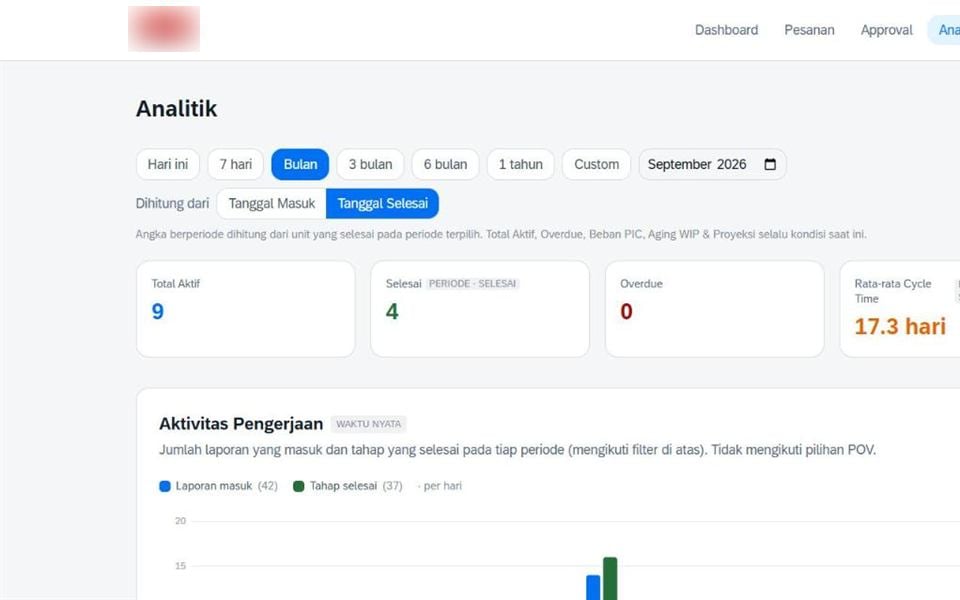
Names and amounts in the screenshots are blurred.
The problem it solves
“Where is my unit?” has always been answered by phone, by WhatsApp, or by walking the shop floor to find it. Customers now have direct access to status and progress photos, and management reads the same kanban board.
System flow
- 01
Order intake
The unit is registered and issued a QR identity
- 02
Kanban
The unit is placed on the board at its production stage
- 03
Work
Staff scan the QR, complete checklists, and upload photos
- 04
Quality gate
Reports stay in draft until a supervisor approves
- 05
Publication
Once approved, progress appears on the customer portal
- 06
Notification
The customer receives an automatic WhatsApp update
- 07
Handover
The finished unit is handed over with full documentation
- 08
Analytics
Cycle time and supervisor performance feed improvement
Modules
Modules are grouped the way the system actually works, each with its function spelled out.
Customer Side5 modules
- Customer Portal
- A dedicated page for customers to follow their unit
- Guest Tracking
- Status access by link or QR without an account
- Unit Status
- Where the unit currently sits in production
- Progress Photos
- Visual documentation at each stage
- Completion Estimate
- An automatically updated completion date
Management Side4 modules
- Workshop Kanban
- Visual board of every unit and its stage
- Order Management
- Orders managed from intake to completion
- Overdue Alerts
- Automatic flags for units past target
- Approval & Quality Gate
- Field reports require approval before publication
Shop Floor4 modules
- QR per Unit
- Each unit carries a unique code scanned on site
- Mobile Forms
- Completed in a phone browser with no app install
- Five-Stage Checklist
- 36 check items across five production stages
- Field Reports
- Daily work notes from the responsible supervisor
Job Order Tracking9 modules
- Job Orders
- Work orders with the items to be produced
- Job Order QC
- Quality inspection per work order
- Material Processing
- Raw material processing stages
- Item Processing
- Component processing stages
- Assembly
- Bringing components together into a finished unit
- Internal & External Parts
- Separates in-house parts from bought-in parts
- In-House Machines
- Scheduling and load for own machinery
- Subcontracted Machines
- Work outsourced to third parties
- Subcontractor Progress
- Monitoring progress at subcontractors
Analytics5 modules
- Cycle Time
- Stage durations as the basis for improvement
- Supervisor Scorecard
- Performance of the supervisor responsible per unit
- Capacity
- Workshop load against available capacity
- Monthly Reports
- Output and on-time delivery summaries
- WhatsApp Notifications
- Automated updates to customers and management
Technology, in plain words
- Next.js
- A framework that builds site screens so pages open quickly
- tRPC
- A typed data path between the screen and the server
- Prisma
- A bridge so code reads and writes the database safely
- QR
- The black and white square a phone camera scans
Need a system like Production Portal?
Tell us what you need. We will show which parts work as they are and what would need adapting.